Showing posts with label utility. Show all posts

Jan 18, 2010

DriverMax


DriverMax is a new tool that allows you to download the latest driver updates for your computer. No more searching for rare drivers on discs or on the web or inserting one installation CD after the other. Just create a free account, log in, and start downloading the updates that you need.

You can also export all your current drivers (or just the ones that work ok) to a folder or a compressed file. After reinstalling Windows you will have everything in one place!

Most of the situations when Windows is running slower are caused by faulty driver installations. Windows stores all versions of older drivers just in case you want to go back; sometimes it messes up older versions with more recent ones. The Export Wizard will only export the drivers you select by copying the needed files to a folder or a compressed ZIP file.

After reinstalling Windows all drivers will be back in place in less than 5 minutes - sparing you of searching, inserting disc after disk and losing precious time. The Import Drivers wizard allows you to install all the drivers that you exported earlier. The entire operation might take up to 5-10 minutes.

Homepage: http://www.innovative-sol.com/drivermax/

Process Lasso


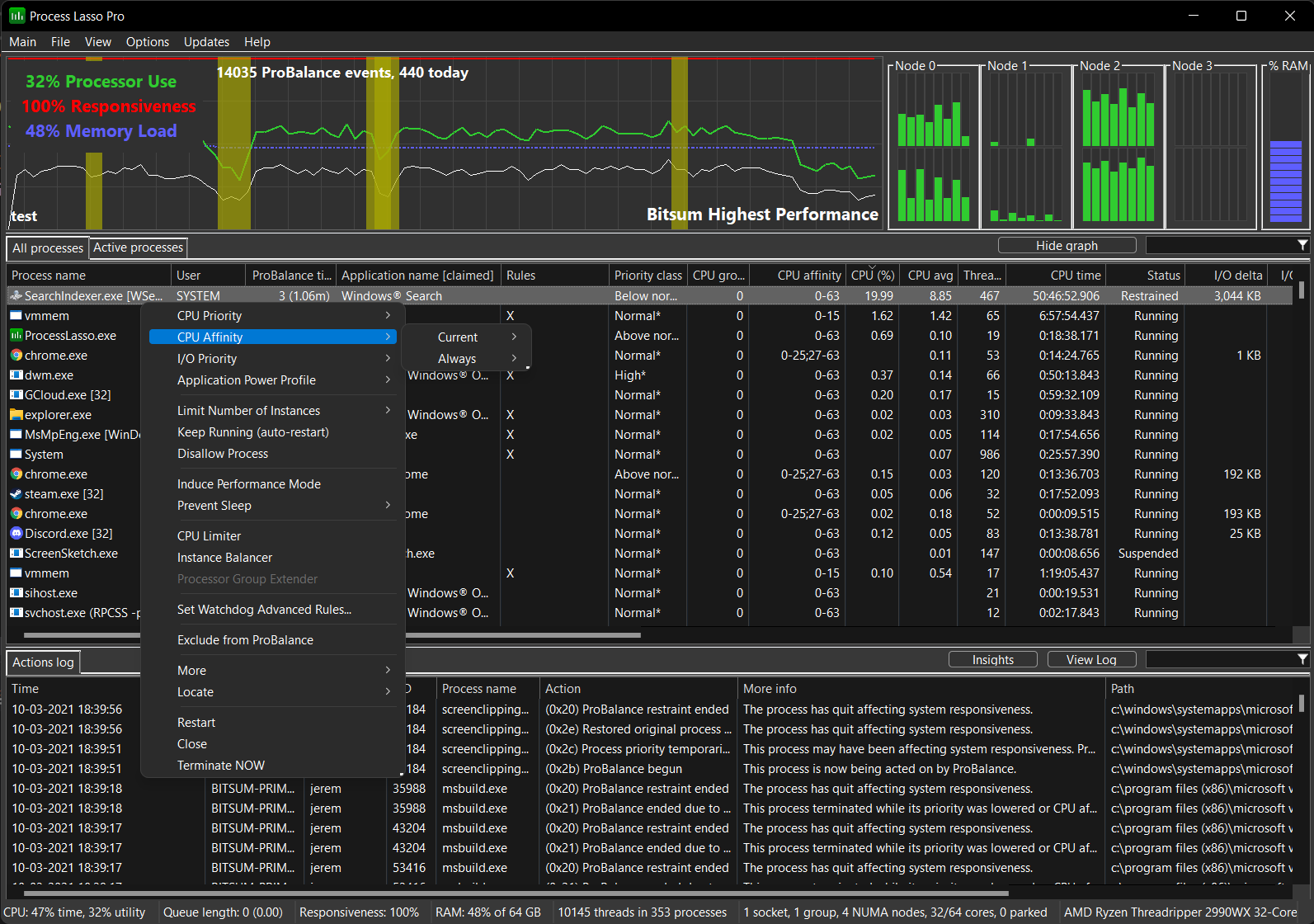
Process Lasso is a unique new technology that will improve your PC's responsiveness and stability. Windows, by design, allows programs to monopolize your CPU without restraint -- leading to freezes and hangs. Process Lasso's ProBalance (Process Balance) technology intelligently adjusts the priorities of running programs so that badly behaved processes won't substantially impact the responsiveness of your PC.

Process Lasso also offers an assortment of ways to take full control of how your CPUs are allocated to running programs. You can choose at what priority processes should run, and which CPUs should be assigned to them. You can also disallow certain programs from running, log all programs run, automatically restart programs, and so much more.

Once you install Process Lasso, it'll just start working. More advanced users can tweak the configuration, but you needn't touch anything to have it instantly improve your system responsiveness and prevent stalls in high load situations.

Homepage: www.bitsum.com

Jun 15, 2009

Everest Ultimate Edition 4.6


Industry leading system diagnostics and benchmarking solution for enthusiasts PC users, based on the award-winning EVEREST Technology. Exhaustive details of system information on 100 pages including CPU, FPU, disk and memory benchmarks, advanced hardware monitoring and diagnostics capabilities.

Homepage: www.pro.de/aktion/com/everest

Feb 13, 2008

Punto Switcher


Automatic keyboard layout switcher. Officially free.

Homepage: http://punto.ru

Dec 20, 2007

SUMo


SUMo, which stands for Software Update Monitor. Thanks to SUMo you'll be able to keep your PC up-to-date by using the most recent version of your favorite software ! Unlike build-in auto update features, SUMo tells you if updates are available before you need to use your software.

Homepage: http://www.kcsoftwares.com

PFrank


PFrank is a Freeware Professional Grade bulk file/folder renaming program that runs under Windows. With this tool you can easily organize your music, picture, video, or any other types of files. PFrank comes equipped with many features, some of which you won't find on any other renaming program. The beauty of this tool is it's flexibility. You can easily build any renaming command sequence you like, preview all of the results, press the rename button, and you're done! Some features:
  • changing case,
  • inserting counters,
  • inserting parent folder names,
  • eliminating whitespace sequences.
  • inserting file properties,
  • inserting tag information and meta-data from Music files (e.g. MP3, Ogg Vorbis, FLAC),
  • inserting EXIF tag, IPTC tag, and meta-data from Image files (e.g. JPEG, TIFF, GIF, etc.),
  • inserting tag information and meta-data from Video files (e.g. MPEG, AVI, etc.),
  • inserting tags from Markup Language files (e.g. HTML, SGML, etc.),
  • inserting meta-data from Email files (e.g. Mozilla EML),
  • inserting meta-data from Office type files (e.g. Word, Excel, Powerpoint, etc.),
  • inserting information from text files,
  • inserting hash codes.
Homepage: http://www3.telus.net/pfrank/